Inputs
Input components are state-hoisted wrappers around Material 3 controls.
Components
TextFieldPasswordFieldSearchFieldMenuPickerCheckboxRadioGroupSwitchSlider
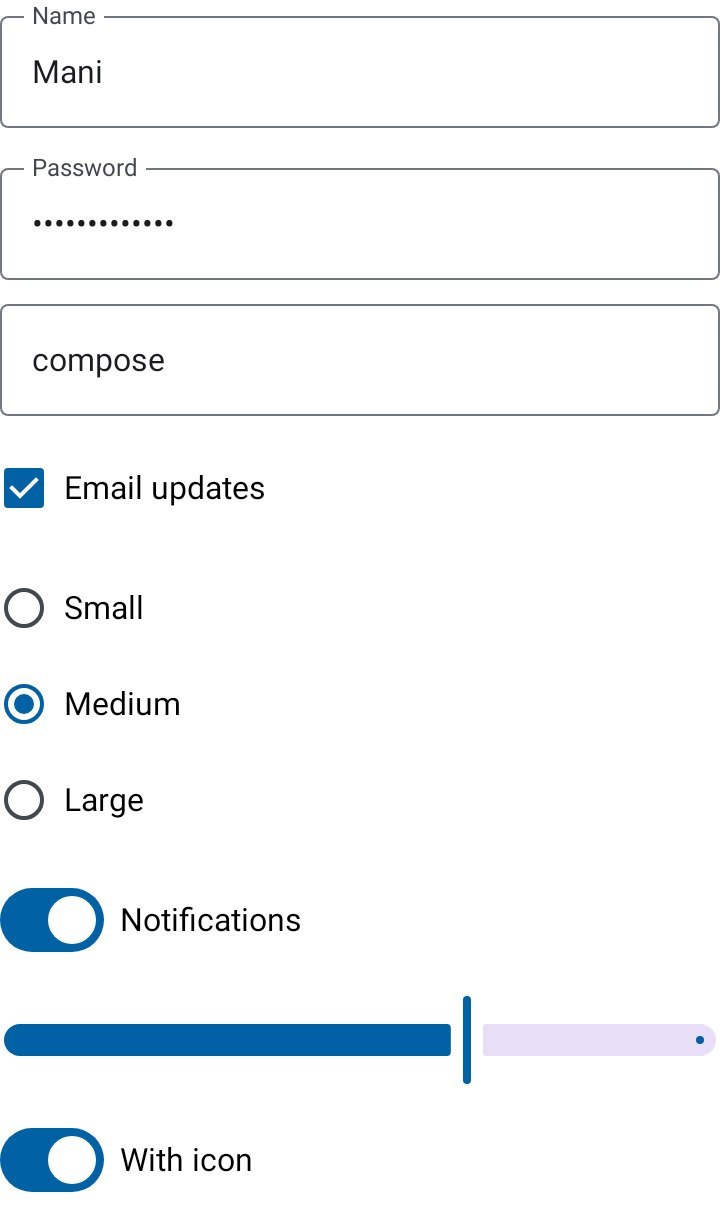
Example
AppTheme {
    TextField(
        value = state.name,
        onValueChange = onNameChanged,
        label = "Name",
        keyboardOptions = KeyboardOptions.Default,
    )
}
Callers own input state and validation. Use supportingText and isError for field-level feedback.
TextField and PasswordField accept caller-supplied keyboardOptions; password fields default
to KeyboardType.Password.
MenuPicker
MenuPicker<T> is a themed single-choice dropdown built on Material 3's exposed dropdown menu. It
replaces hand-rolled ExposedDropdownMenuBox usage with a state-hoisted, localizable picker.
AppTheme {
    MenuPicker(
        options = sizes,
        selectedOption = state.size,
        onOptionSelected = onSizeChanged,
        optionLabel = { size -> stringResource(size.labelRes) },
        label = stringResource(R.string.size_label),
        placeholder = stringResource(R.string.size_placeholder),
        supportingText = state.sizeError,
        isError = state.sizeError != null,
    )
}
- State: the caller owns
selectedOption(nullmeans nothing chosen). The picker only reports taps throughonOptionSelectedand closes its menu; ignoring the callback leaves the selection unchanged. - Strings:
optionLabelsupplies every option's text, andlabel,placeholderandsupportingTextare caller-supplied with no English defaults (ADR 0004). Blank values render no node. The placeholder appears while nothing is selected and the field is focused or has no label. - States:
enabled = falseprevents the menu from opening;isError = truedraws the error styling and, whensupportingTextis not blank, exposes it as the field's error message. - Accessibility: the field exposes
Role.DropdownListplus Material's expanded state and announces its current value. Pass a localizedstateDescription(for example"Medium, 2 of 3") to announce a richer description. The selected menu item exposesselectedsemantics and a highlighted background. The field and every menu item are at least 48dp tall.